
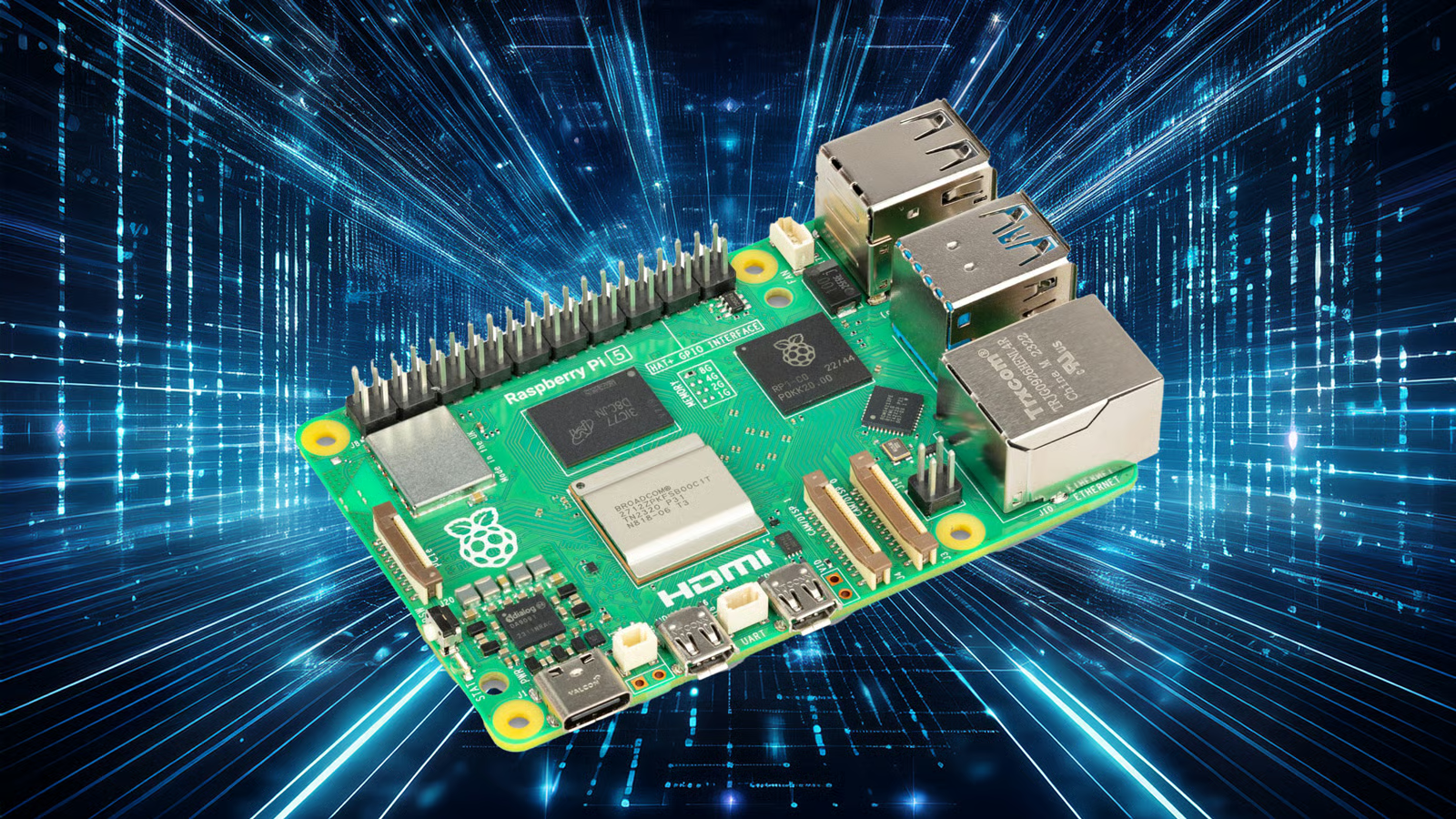
Most hobby electronics fail for a boring reason: they begin with a cool board instead of a clear problem. The best Raspberry Pi projects start the other way around. They notice a garage that stays open, a home office that drops Wi-Fi during calls, a parent who needs a safer reminder system, or a utility bill that keeps creeping up. That is where a tiny computer earns its place in daily American life, far beyond blinking LEDs on a desk. Good builds do not need to look flashy. They need to work on a Tuesday night when nobody feels like troubleshooting. For readers who follow practical tech coverage, the real value is not the gadget. It is the fix. A Pi can watch, record, alert, sort, time, display, and control things at a cost that makes testing possible. Used well, it becomes a quiet problem-solver for renters, homeowners, students, teachers, caregivers, and small business owners who want control without buying another locked-down device.
Why Raspberry Pi Projects Work Best When the Problem Is Boring
A Pi board is not magic. It is a patient little computer with pins, ports, software, and enough flexibility to sit between the physical world and your daily routine. The mistake many beginners make is chasing the most impressive demo. The better move is humbler: pick one repeat problem, then build a tool around it. That change in mindset turns weekend tinkering into something that keeps paying you back.
Start with the pain point, not the board
A useful build often begins with a complaint you have said out loud more than once. “Did I leave the garage door open?” “Why is the basement damp again?” “Which device is killing the network?” That sentence is your project brief. It tells you what to measure, when to send an alert, and what result would count as success.
Take a suburban home in Ohio with an older sump pump. A Pi connected to a water sensor and a simple alert script can warn the owner before the floor turns into a repair bill. The board is not the star. The warning is the star. That difference matters because a project that prevents one flooded room has more value than a shelf full of parts.
The counterintuitive part is that boring builds age better. A motion-triggered porch light log may sound plain, yet it answers a real question for a family dealing with package theft. A tiny uptime monitor in a home office may sound dull, but it can prove whether the router, the modem, or the provider is causing dropped video meetings.
The best build is the one you can repair
A useful Pi setup should make sense when you return to it six months later. Label the wires. Keep the code in a folder with a plain name. Save a short note explaining what each script does. Future you will not remember which sensor used pin 17 after one busy season.
This is where official references matter. The official Raspberry Pi documentation is worth bookmarking because pin behavior, camera setup, boot options, and hardware notes should come from the source when a build controls something in your home. Guessing is fine for a toy. It is a poor plan for a door lock, pump alarm, or camera.
Repair also means knowing when not to overbuild. A Pi does not need to control every appliance in the house. Sometimes the smarter answer is one board, one job, one clear alert. That keeps the setup cheaper, safer, and easier to explain to another person in the home.
Home Systems That Save Time Without Turning the House Into a Lab
The average household does not need a sci-fi control room. It needs fewer forgotten chores, fewer blind spots, and fewer small failures that become expensive. A Pi can help because it sits locally, talks to common sensors, and can run without forcing every choice through a paid cloud account. That makes it a strong fit for home automation projects built around comfort, safety, and energy awareness.
Home automation projects that earn their shelf space
The best home automation projects are not about showing off. They remove a repeated annoyance. A smart laundry notifier can watch power draw from a washer and send a phone alert when the cycle ends. For a busy family in Texas, that can mean fewer sour towels and fewer late-night restarts.
A garage monitor is another practical build. Add a magnetic contact sensor, connect it to the Pi, and send an alert if the door stays open after 10 p.m. The logic is simple, but the payoff is immediate. It helps with weather, security, pests, and peace of mind.
There is a trap here. Many people try to automate too much too soon. They connect lights, locks, cameras, fans, and speakers before one setup has proved itself. Better home automation projects begin with one pain point and one rule. Once that works for a month, add the next layer.
Energy checks and quiet alerts that help normal families
Energy waste hides in plain sight. A space heater left on in a basement office, a freezer door that does not seal, or a fan running in an empty room can add cost without drawing attention. A Pi cannot fix every bill, but it can make waste visible.
For example, a renter in Arizona could use temperature and humidity sensors to track how hot one room gets in the afternoon. That data can guide better curtain use, fan timing, or AC settings. The value is not only automation. It is evidence. Once you know the pattern, you stop guessing.
A non-obvious win is restraint. Quiet alerts work better than constant alerts. If your phone buzzes every time a sensor changes, you will ignore it by Friday. A better system reports only when a condition crosses a threshold and stays there. Human attention is part of the design.
For readers building a connected home plan, an internal guide like smart home setup guide can sit beside the Pi build notes. The goal is not to buy more devices. It is to make each device earn its space.
Local Data, Security, and Workflows You Can Own
Once a Pi proves useful at home, the next step is often data ownership. Many people in the USA are tired of devices that work well only when an app subscription stays active. A Pi gives you another path. It can collect logs, host dashboards, block ads, watch uptime, back up files, and handle tiny office tasks without sending every detail somewhere else.
A private dashboard beats another cloud login
A local dashboard sounds technical, but the idea is plain. Put the details you care about on one screen. That might include home temperature, internet uptime, printer status, calendar reminders, package tracking notes, or garden moisture. The Pi gathers the signals and displays them where you can act on them.
In a home office, a network monitor can ping the router, modem, and a few outside services. When a video call fails, the log can show whether the outage came from Wi-Fi, the internet provider, or the laptop. That can save hours of blame and blind resets.
The hidden benefit is emotional. When tech fails, people feel stuck because they cannot see what happened. A local dashboard gives the problem a shape. Once a problem has a shape, it feels less like bad luck and more like something you can fix.
Small offices need fixes they can see
A small business does not always need enterprise software. A barber shop, dental front desk, repair counter, or local nonprofit may need a simple sign-in kiosk, a waiting-room display, or a backup station for scanned documents. A Pi can handle those jobs with low power use and modest cost.
Picture a neighborhood tax preparer in Michigan during filing season. A Pi-powered status display can show appointment flow, Wi-Fi status, and scanner readiness behind the front desk. Nobody needs to ask whether the system is down. They can see it.
This is where DIY tech solutions become practical business tools. Not every shop has an IT person. A clear local setup, with spare parts and written steps, can be easier to manage than a rented service packed with features nobody uses. The trick is to keep the build honest. If the workflow needs audit trails, strong access control, or legal-grade records, use proper business software. The Pi can assist. It should not pretend to be a compliance department.
For safer planning, connect the build to a resource like home network safety checklist. DIY tech solutions work best when security is part of the first sketch, not something added after a scare.
Accessibility, Community Use, and Field Monitoring
The deeper value of a Pi shows up when the project helps a person or place that commercial tech ignores. A school club can build tools for a garden. A caregiver can make a reminder station. A volunteer group can track pantry inventory. These jobs rarely attract polished consumer products because they are too local, too specific, or too low-profit. That is exactly why a flexible board helps.
Real-world builds for care, mobility, and reminders
Real-world builds often begin with one person’s routine. An older adult may need a medication reminder that speaks aloud and lights up, without requiring a phone app. A child with sensory needs may benefit from a visual timer that changes color as homework time ends. A wheelchair user may want a custom button panel for lights, music, or door alerts.
None of these has to be dramatic. A Pi connected to a speaker, a display, and large buttons can make the environment easier to read. The build can be adjusted around the person, instead of forcing the person to adapt to a mass-market gadget.
The non-obvious point is that accessibility projects should be boring to operate. The exciting part happens during design, when you learn what the person needs. The final device should feel calm, predictable, and easy to reset. A helper should know what to do if it freezes. A printed one-page guide may matter as much as the code.
From community gardens to storm prep
Local monitoring is another strong use case. A community garden in Georgia can track soil moisture and temperature before volunteers waste water. A coastal homeowner in Florida can monitor indoor humidity after a storm. A teacher in Colorado can build an air-quality display so students see data from their own classroom.
These are real-world builds because they respond to place. Weather, housing age, power stability, and local routines all shape the design. A project for a Phoenix garage will not look like one for a Maine basement. That is a strength, not a flaw.
A Pi can also support emergency readiness. It can host offline copies of local maps, check a battery bank, display weather radio notes, or run a low-power message board during an outage. You still need proper emergency gear and official alerts. The Pi fills gaps between big systems and household reality.
That is the deeper lesson. The board is cheap enough to experiment with, but serious enough to respect. When you build around a real need, you stop making gadgets and start making local infrastructure.
Conclusion
The strongest builds are rarely the ones that get the loudest reaction online. They are the ones that keep working after the novelty wears off. A Pi that warns you about water, tracks an unreliable network, helps a caregiver, or makes a classroom sensor wall can matter more than a flashy demo. That is the standard worth using. Raspberry Pi projects should earn trust through repeat use, plain setup notes, and a problem that someone can name without squinting. Start with friction. Choose one outcome. Build the smallest working version, then live with it long enough to see what breaks. That patient approach creates better tools and better judgment. For Americans trying to save money, protect a home, teach skills, or solve local problems, the Pi remains one of the rare tech purchases that can become more personal over time. Pick a problem you touched this week, and make the first useful version.
Frequently Asked Questions
What is the best first Raspberry Pi build for a beginner?
Start with a home status dashboard, network monitor, or simple sensor alert. These builds teach setup, wiring, scripts, and troubleshooting without risky moving parts. Pick a problem you already understand, because clear goals make beginner mistakes easier to catch.
Can a Raspberry Pi replace smart home hubs?
It can replace some hub functions, especially for local automations, dashboards, and sensor tracking. It may not replace every branded hub if your devices depend on closed systems. Check device support before buying parts, then test one room before expanding.
How much does a useful Raspberry Pi setup cost?
A practical setup can start under the cost of many premium smart devices, but the final price depends on storage, power supply, case, sensors, and cables. Budget for the boring accessories first. Weak power and bad storage cause many failures.
Is Raspberry Pi safe for home security projects?
It can support cameras, door sensors, and alerts, but safety depends on setup quality. Use strong passwords, updates, local network controls, and clear backups. Avoid using a homemade system as your only protection for locks, fire, or medical needs.
What skills do I need before building with Raspberry Pi?
You need basic comfort with files, commands, wiring diagrams, and patient testing. You do not need to be an engineer. The key skill is careful problem-solving: change one thing at a time, write notes, and keep your setup easy to undo.
Can renters use Raspberry Pi without damaging the home?
Yes, many renter-friendly builds use plug-in sensors, cameras on stands, desk dashboards, or power-monitoring plugs. Avoid drilling, rewiring, or changing locks without permission. Portable builds are often better because they move with you to the next place.
What Raspberry Pi model should I choose for practical builds?
Choose based on the job. Lighter sensor and alert systems can run on modest boards, while dashboards, cameras, and heavier software need more power. Check current hardware notes before buying, and leave room for heat, storage, and future updates.
Are DIY Raspberry Pi automation systems worth the time?
They are worth it when the problem repeats often enough to repay the effort. A one-time annoyance may not deserve a build. A weekly problem, safety concern, teaching goal, or expensive blind spot can make the learning time pay back fast.